A tailored resume
A draft that organizes your background around the role. Review its wording and every claim before using it.
Create an application for a specific role, edit both documents, and choose how they look before downloading.
$5.99 USD for one packetPreview first. No card required.
Try the sample first, or open your workspace to use your own details.
Select Your experience and paste your background. Continue to Target role and add the job description.
Review the source details, then sign in or create an account to generate your available preview. No card is needed for that preview.
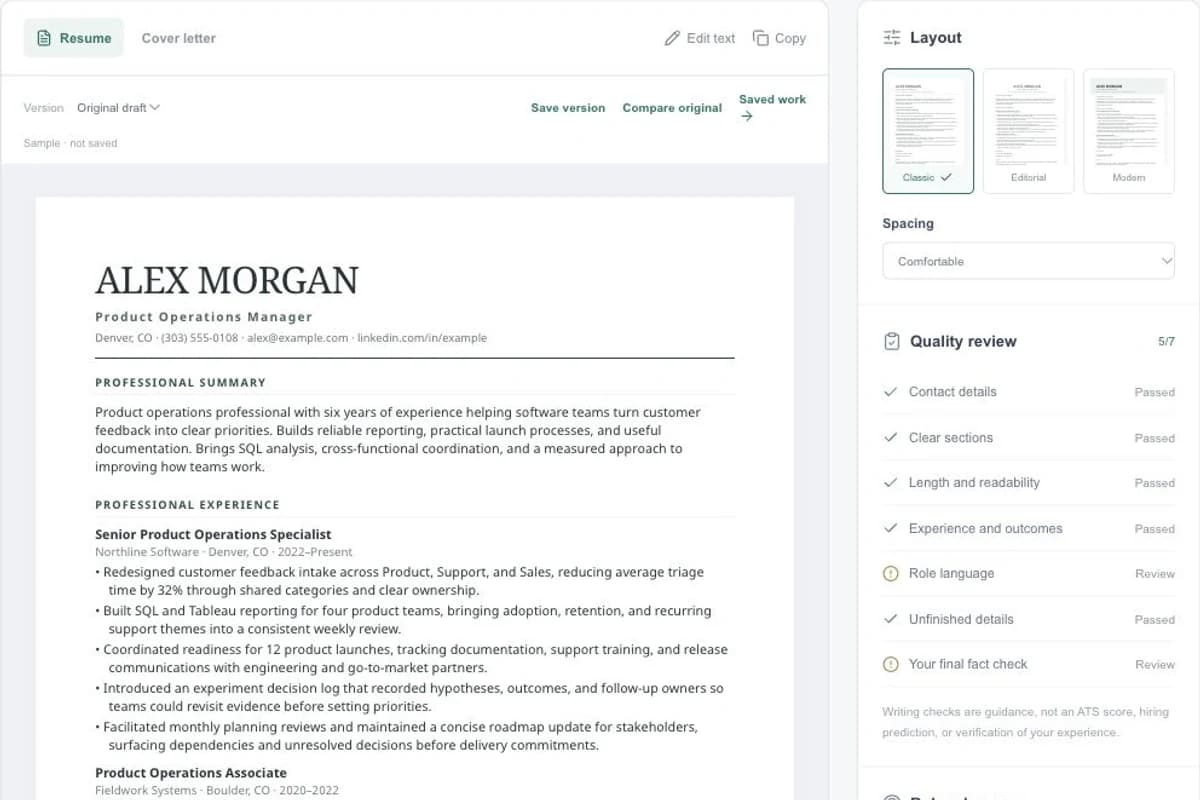
Switch between Resume and Cover letter. Edit the text, check facts and select Professional, Modern or Editorial.
Save your version. Choose an available purchase option, then download the resume, cover letter or both as a PDF.
Specific information gives you a draft you can check against your own experience.
A draft that organizes your background around the role. Review its wording and every claim before using it.
A separate letter for the same application, available beside the resume for review and editing.
Review contact details, sections, length and role language with explanations of what needs attention.
The complete packet is described below. Your available preview may show only part of the result.
Compare three templates with the same document. Adjust spacing without generating the application again.
Save application versions and return to a previous revision. Compare the draft with your original background when reviewing changes.
Use Saved work to find applications by title or filter by tool and purchase status. Reopen the exact saved document.
Select the documents and paper size for export. Check the PDF pages before submitting an application.
The draft uses the information you provide. Writing checks do not reproduce an employer’s screening system or guarantee an interview.
$5.99USD · one-time purchase
For one selected resume-and-cover-letter packet. No subscription required.
Build my applicationGenerate a preview in your account and review the purchase details before checkout.
The $27.99 USD toolkit includes one packet from each of the six tools. An existing preview counts as that tool’s packet; the bundle does not add an extra packet for it.
Compare purchase optionsOptional Job Hunt Boost is $2.99 USD/month for five resume-and-cover-letter packets per subscription billing period. It renews monthly until cancelled.
Refunds and cancellationRead the service terms, refund process and privacy policy before submitting personal information or purchasing.
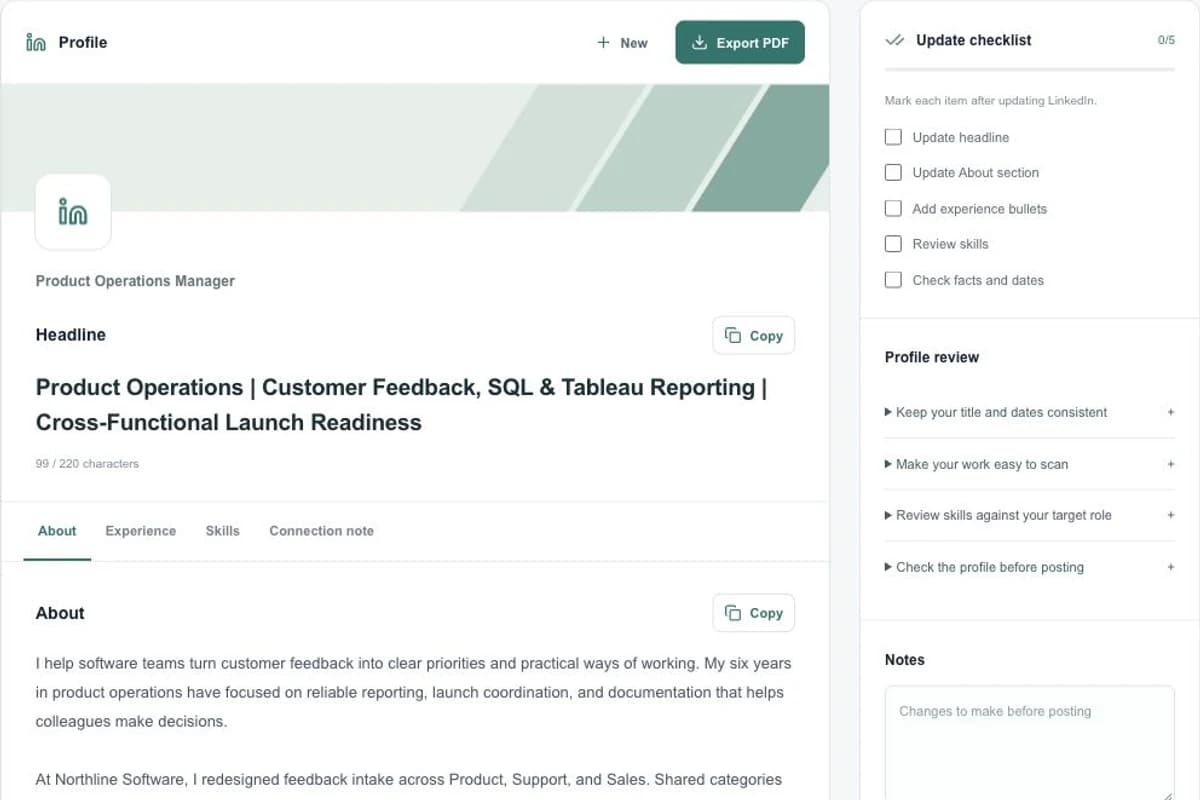
Generate LinkedIn profile copy for a target role, review each section, track your updates and download a profile preparation PDF.
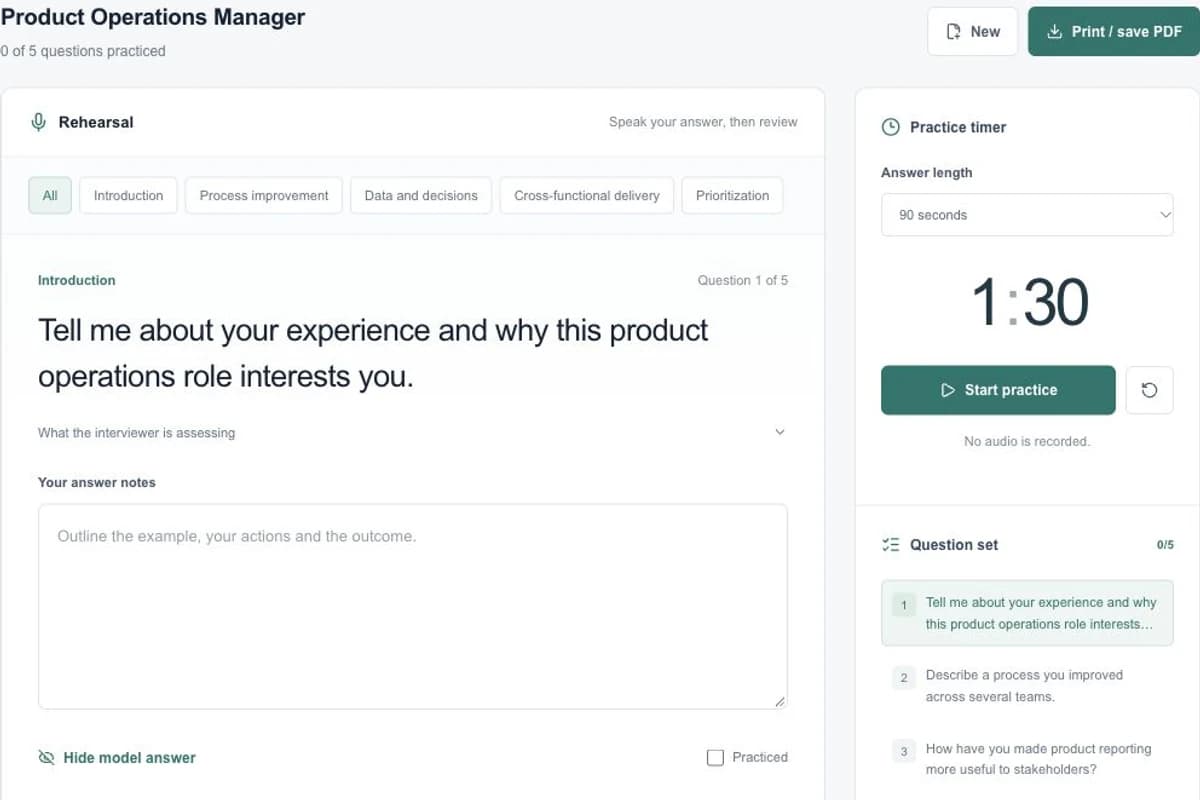
Prepare for an interview with eight role-specific questions, suggested answers, a practice timer, personal notes and a downloadable guide.