Eight practice questions
Questions are grouped by category so you can move between the topics you need to rehearse.
Prepare examples for the role, rehearse answers with a timer, and keep your notes beside each practice question.
$9.99 USD for one packetPreview first. No card required.
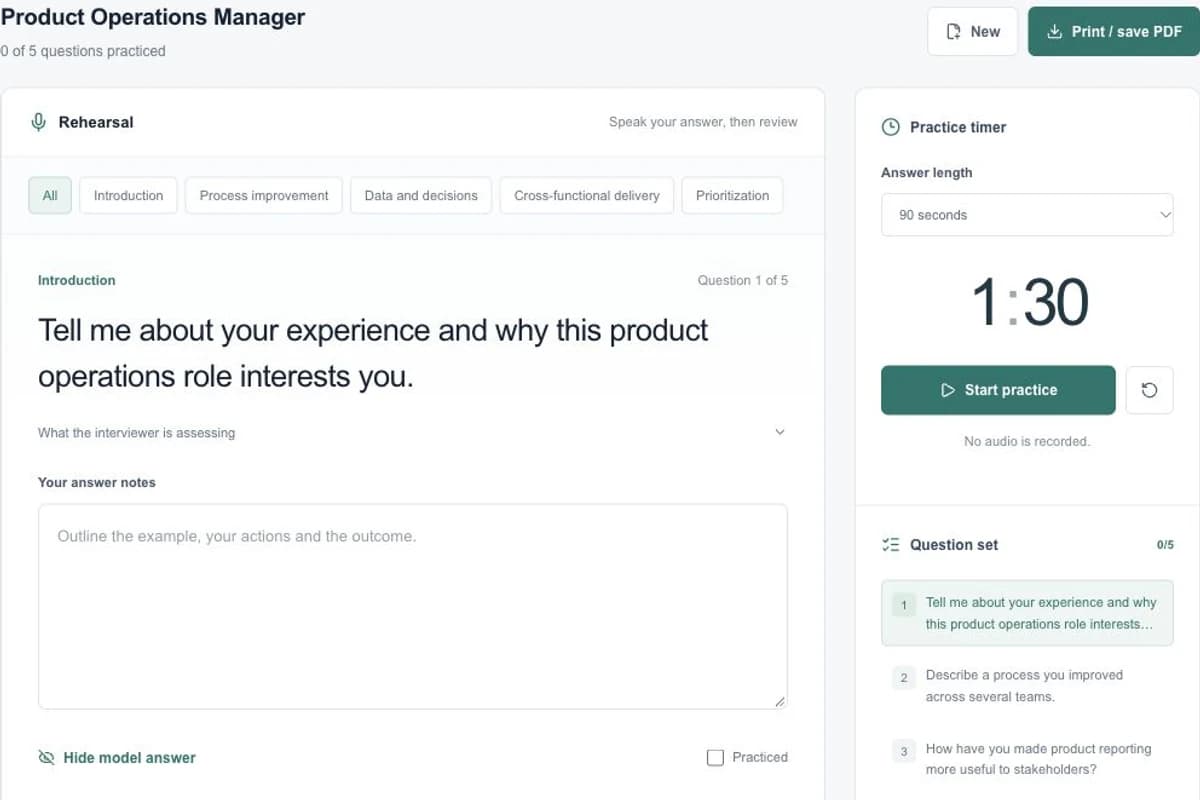
Try the sample first, or open your workspace to use your own details.
Open Interview prep and fill in Job description. Add Your background if you want the draft to use your experience.
Generate your available preview and select a question from the navigator. Unlock the guide to review its suggested answer and guidance.
Choose 60, 90 or 120 seconds, start the timer yourself and explain a real example. Keep answer notes and mark the question practiced.
Check your introduction, questions for the interviewer and preparation checklist. Download the saved guide for reference.
Specific information gives you a draft you can check against your own experience.
Questions are grouped by category so you can move between the topics you need to rehearse.
The complete guide includes why each question is asked, a suggested answer, tips and points to avoid.
Prepare an elevator pitch and questions to ask the interviewer, then add your own notes.
The complete packet is described below. Your available preview may show only part of the result.
Move directly to a question or narrow the list by category without losing your saved answer notes.
Start, pause and reset the timer manually. It helps you rehearse; it does not record or score your speech.
Add separate notes for each answer and your pitch. Practiced checkoffs show the questions you have worked through.
Track role review, examples, questions and your interview setup with the preparation checklist.
Suggested answers are drafts to review against your own experience. The timer is a rehearsal tool, not a recorded interview or an assessment of hiring performance.
$9.99USD · one-time purchase
For one selected generated packet. No subscription required.
Open interview workspaceGenerate a preview in your account and review the purchase details before checkout.
The $27.99 USD toolkit includes one packet from each of the six tools. An existing preview counts as that tool’s packet; the bundle does not add an extra packet for it.
Compare purchase optionsRead the service terms, refund process and privacy policy before submitting personal information or purchasing.
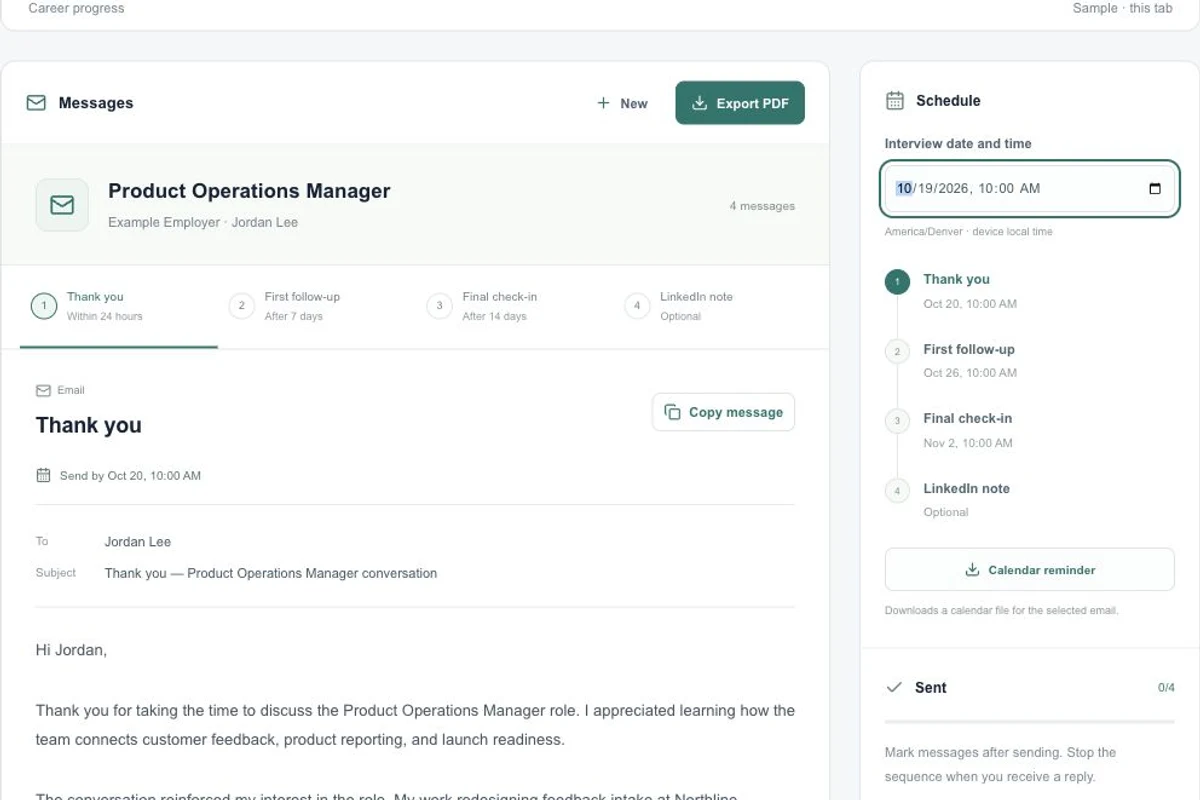
Draft interview thank-you and follow-up messages, calculate suggested dates, download calendar reminders and save your notes and sent checklist.
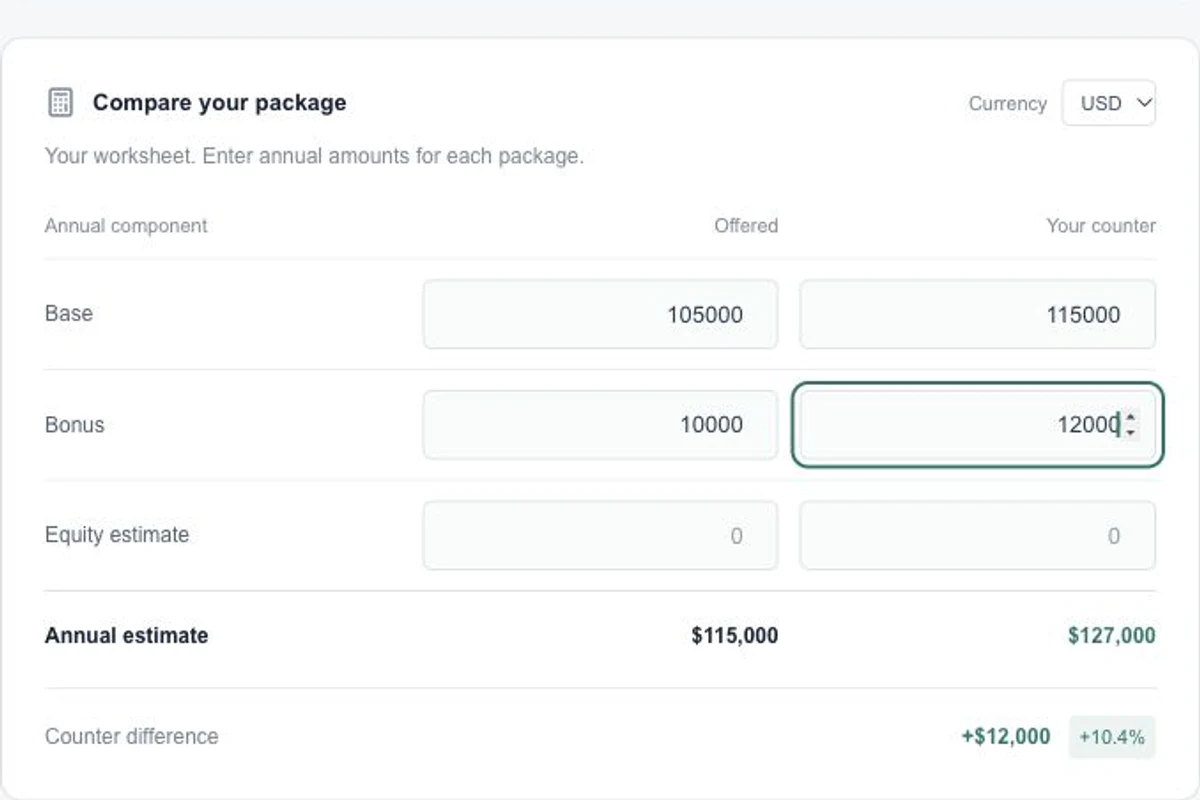
Prepare a salary response with conversation scripts, a counter email, objection guidance and an editable compensation comparison worksheet.