A thank-you email
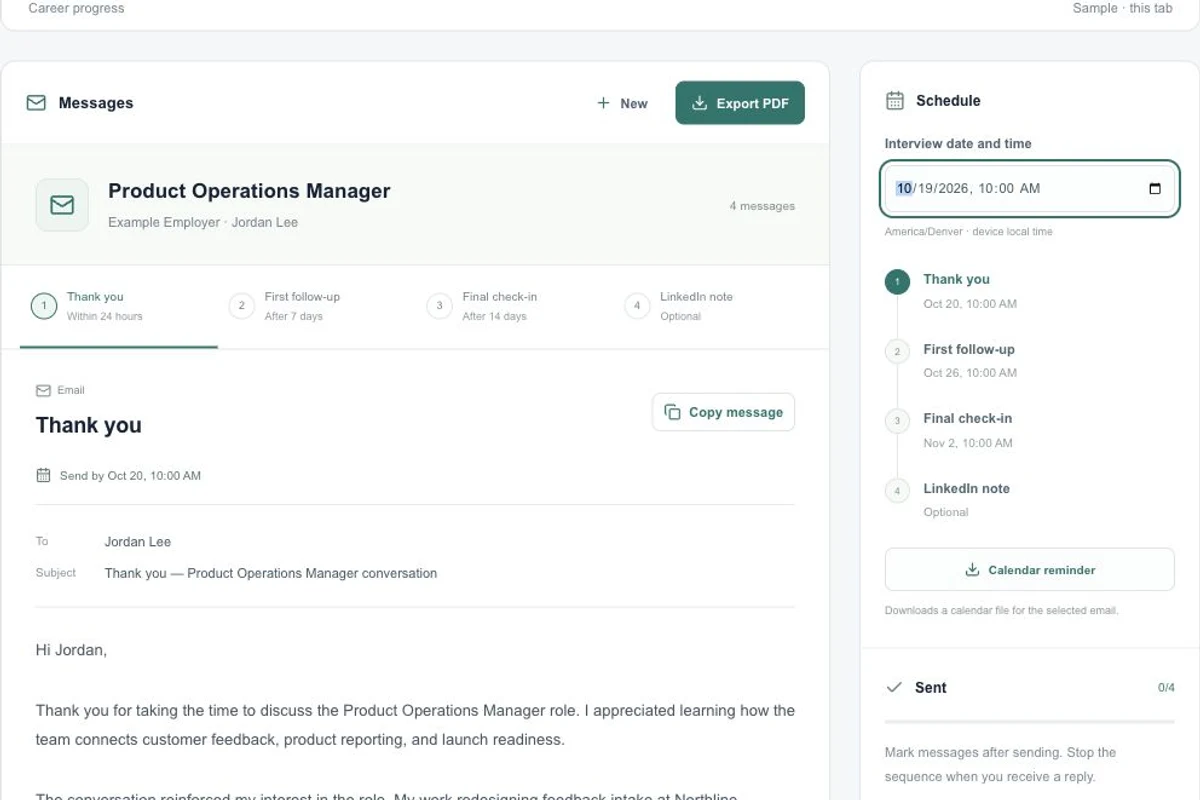
Review a subject and message that refer to the conversation details you supplied.
Prepare a thank-you message and later check-ins, choose a follow-up schedule, and track the messages you send yourself.
$3.99 USD for one packetPreview first. No card required.
Try the sample first, or open your workspace to use your own details.
Open Follow-up emails and enter Job title, Company, Interviewer name and Interview notes as available.
Generate the available preview. Read Thank you, First follow-up, Final check-in and LinkedIn note; unlock the full sequence when needed.
Enter the interview date and time. Review the calculated 24-hour, 7-day and 14-day dates in your local time zone.
Copy the reviewed message into your own inbox or LinkedIn. Mark it sent only after sending, and import a Calendar reminder if useful.
Specific information gives you a draft you can check against your own experience.
Review a subject and message that refer to the conversation details you supplied.
A first follow-up and a final check-in give you drafts to use if you still need a response.
A separate short message is available when a LinkedIn follow-up is appropriate.
The complete packet is described below. Your available preview may show only part of the result.
Switch between the four drafts and keep notes for the selected message, including changes to make before sending.
Use the interview date to see suggested timing. Follow an employer’s agreed timeline and stop the sequence when you receive a reply.
Create a calendar reminder file for a follow-up date and import it into your calendar yourself.
The sent checklist reflects your own checkoffs. Copying a message does not mark it sent or contact anyone.
Tenurea does not send messages or connect to your inbox. You choose when to send from your own email or LinkedIn account.
$3.99USD · one-time purchase
For one selected generated packet. No subscription required.
Open follow-up workspaceGenerate a preview in your account and review the purchase details before checkout.
The $27.99 USD toolkit includes one packet from each of the six tools. An existing preview counts as that tool’s packet; the bundle does not add an extra packet for it.
Compare purchase optionsRead the service terms, refund process and privacy policy before submitting personal information or purchasing.
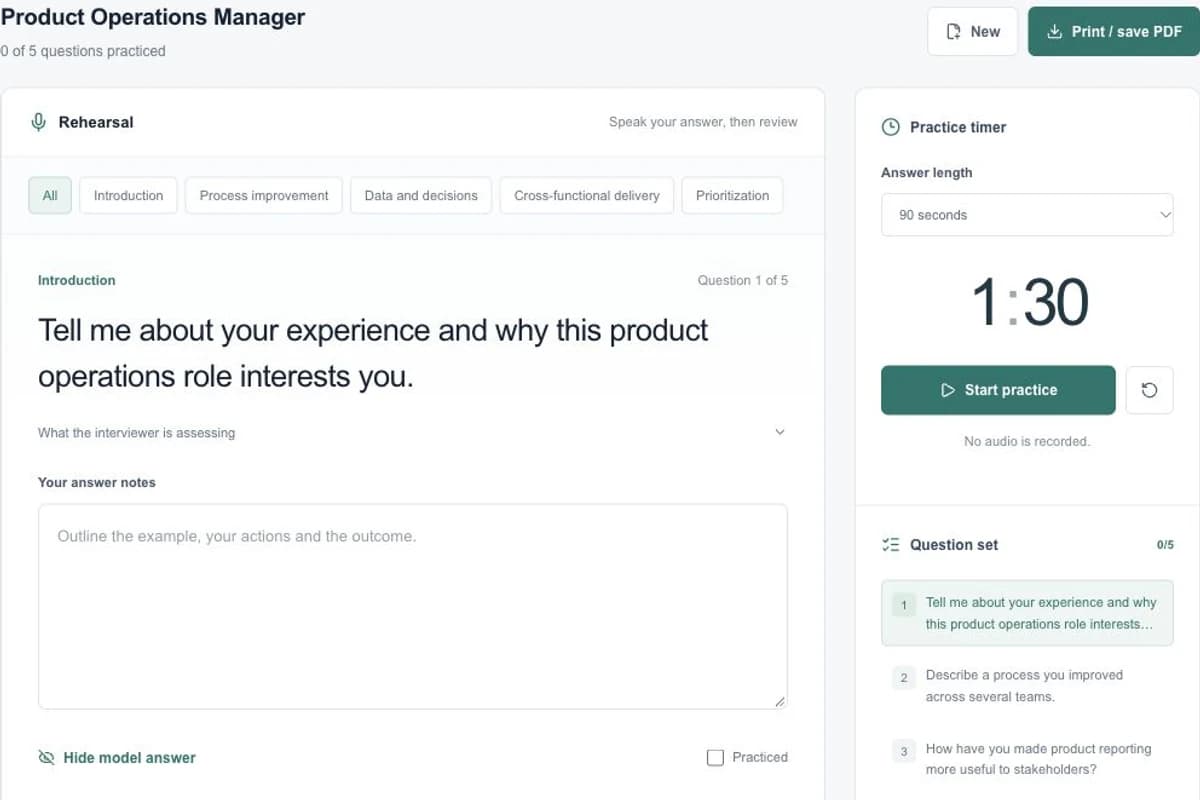
Prepare for an interview with eight role-specific questions, suggested answers, a practice timer, personal notes and a downloadable guide.
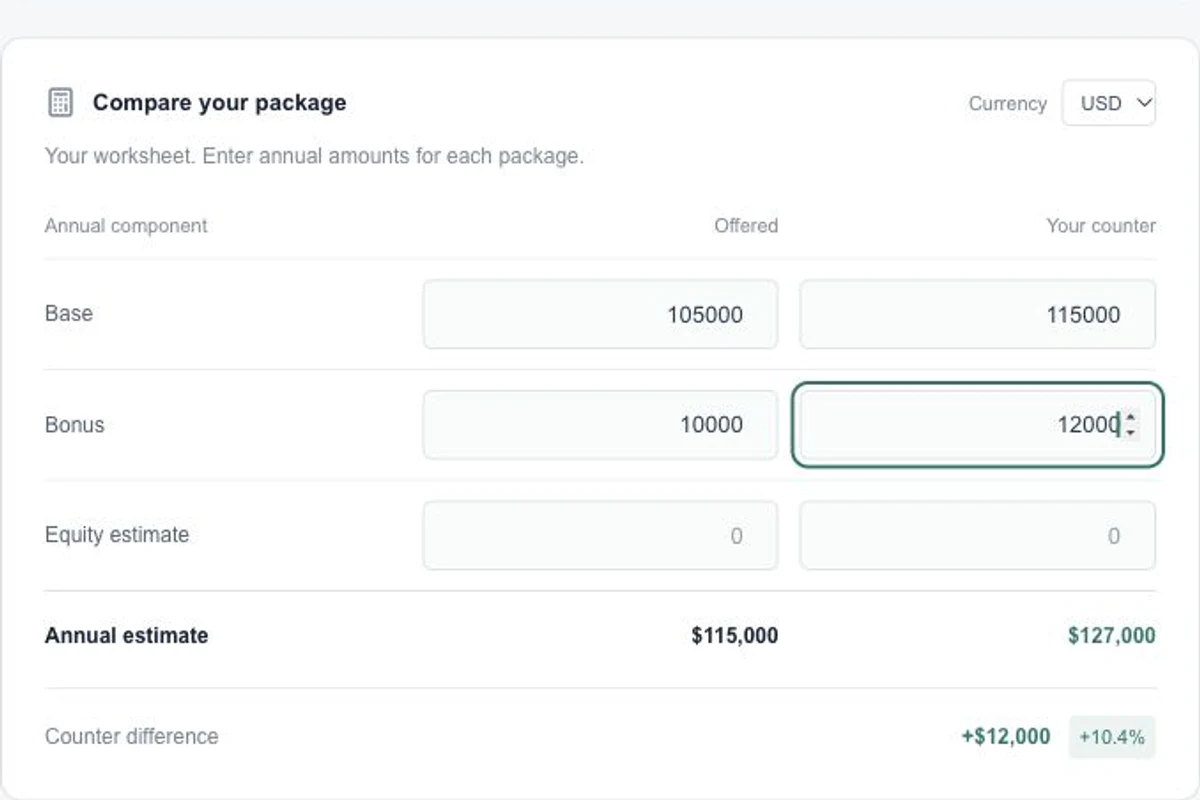
Prepare a salary response with conversation scripts, a counter email, objection guidance and an editable compensation comparison worksheet.