Headline and About draft
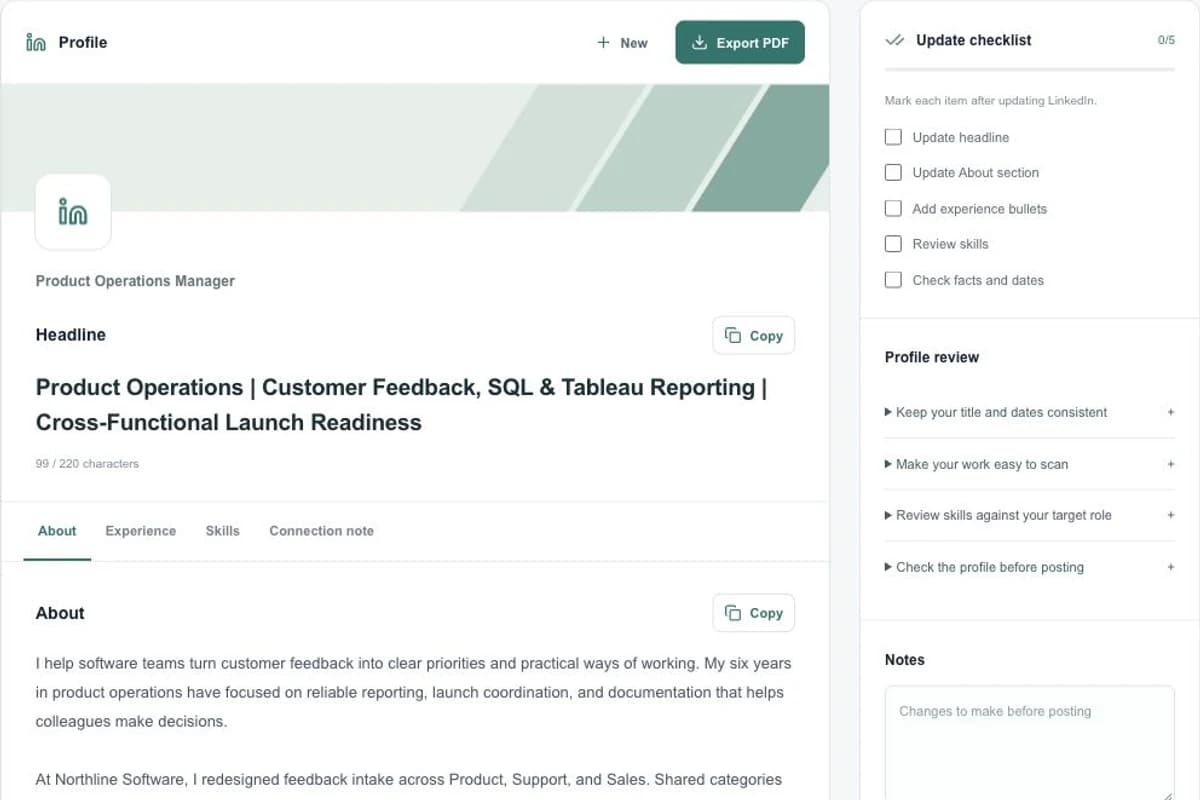
Review a proposed headline and a longer summary together, with character counts beside the content.
Prepare your headline, About section and experience together, then copy the reviewed text into your profile.
$7.99 USD for one packetPreview first. No card required.
Try the sample first, or open your workspace to use your own details.
Open LinkedIn profile, fill in Target role and add the optional posting and background.
Generate your available preview. Move through About, Experience, Skills and Connection note.
Unlock the complete packet when needed. Use Copy, make any final changes in LinkedIn, and mark the updates you actually completed.
Save notes in the workspace and download the profile PDF after the account save finishes.
Specific information gives you a draft you can check against your own experience.
Review a proposed headline and a longer summary together, with character counts beside the content.
Get grouped experience bullets and skills to review against the work you have done.
Prepare a short connection message and review suggestions for completing your profile.
The complete packet is described below. Your available preview may show only part of the result.
Keep the headline visible while moving between About, experience, skills and the connection note.
Character counts help you review the headline, About text and connection note before copying.
Check Update headline, Update About section and the other checklist items only after completing them yourself.
Record facts to verify or changes to make. Your notes and checklist belong to this saved profile packet.
Tenurea prepares text; it does not connect to or update your LinkedIn account. Review the wording and publish your changes yourself.
$7.99USD · one-time purchase
For one selected generated packet. No subscription required.
Open LinkedIn workspaceGenerate a preview in your account and review the purchase details before checkout.
The $27.99 USD toolkit includes one packet from each of the six tools. An existing preview counts as that tool’s packet; the bundle does not add an extra packet for it.
Compare purchase optionsRead the service terms, refund process and privacy policy before submitting personal information or purchasing.
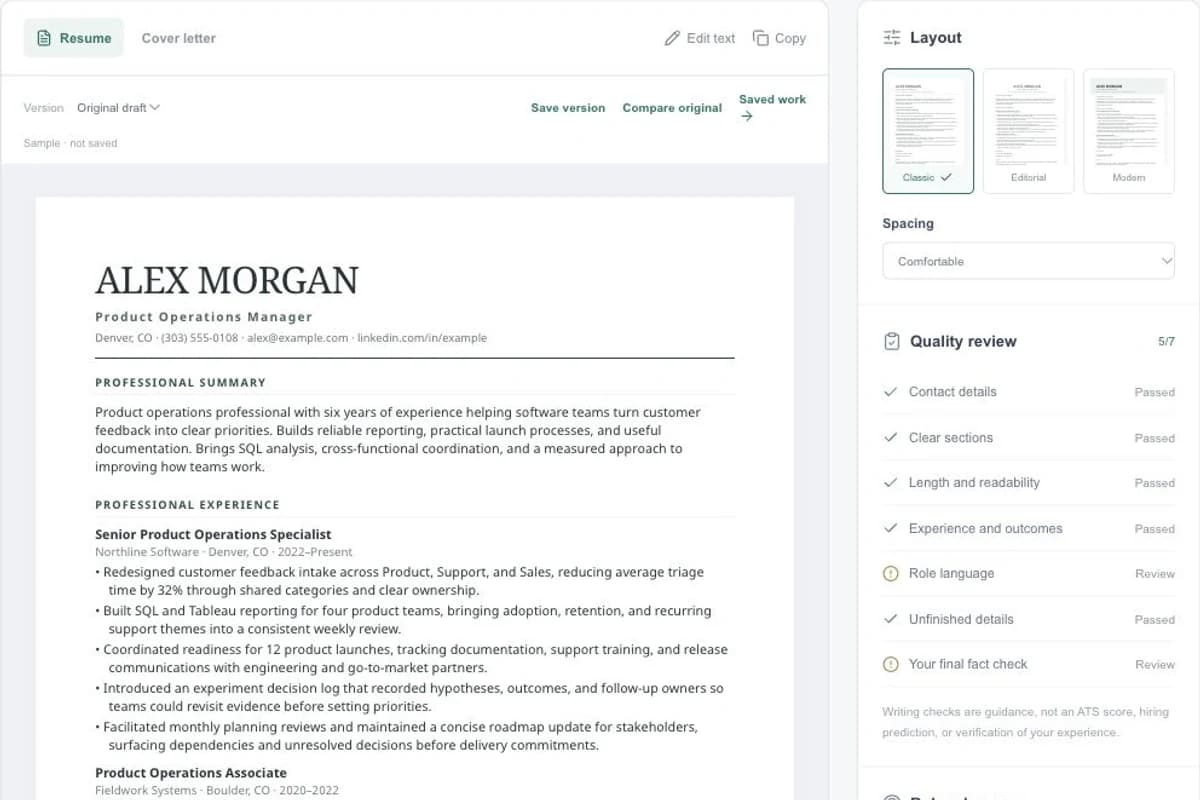
Build a tailored resume and cover letter. Compare three templates, edit your draft, save versions and download a PDF.
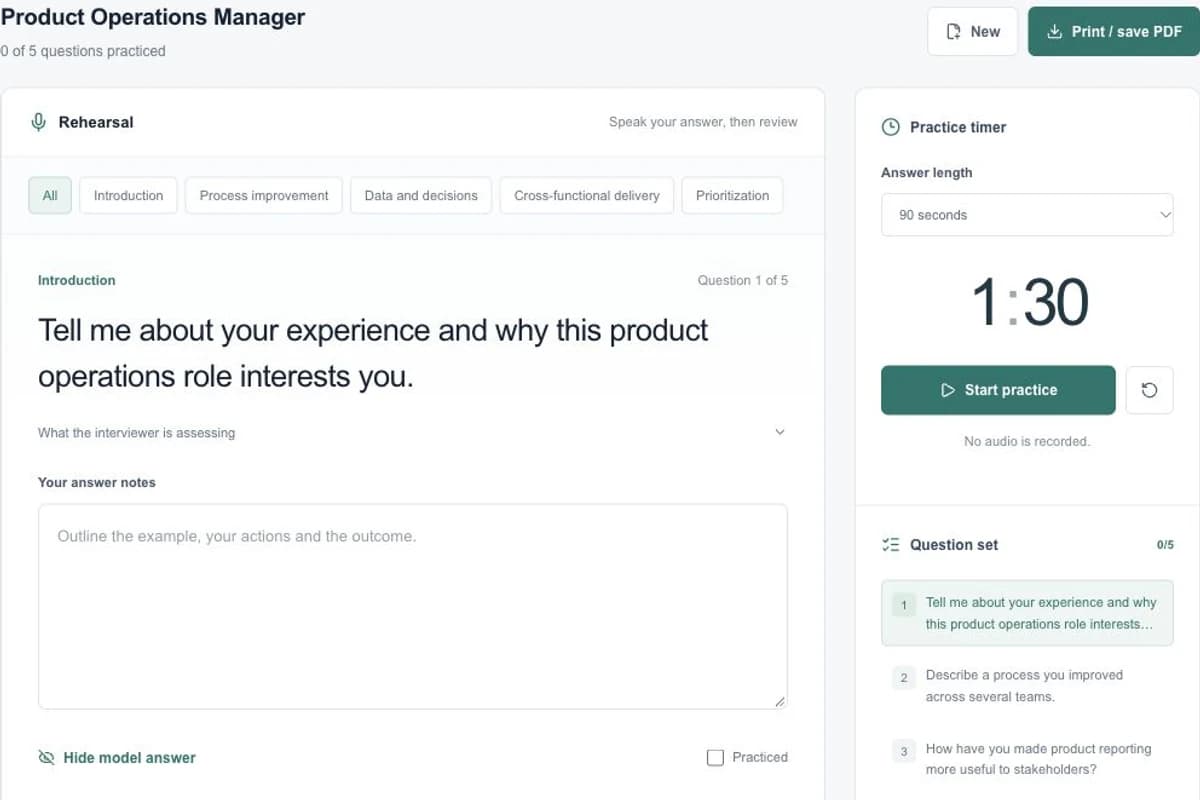
Prepare for an interview with eight role-specific questions, suggested answers, a practice timer, personal notes and a downloadable guide.